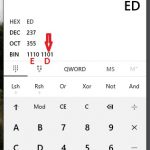
Had the need to create some strings in the form of an array of hex codes for the charachters the other day which was a little cumbersom, so put together some quick php code to do it for me. So thought I’d share it with you. You can access it at http://electronics.trev.id.au/str2hex.php. Just enter your string and click convert.
No Comments »
Last Tuesday (27 Jul 2010) I attended a meeting at the South Australian PIC User Group (SAPUG) which was excellent. A great bunch of people that are all keen to help. Ian from The Leon Audio Company gave a talk on how to use MOSFET’s with a PIC and some things to watch out for. They are a great device, but needs to be used in the right way or you destroy your PIC MCU. The group is planning a weekend of activities in October so keep the weekend of 16th and 17th free and keep an eye on the groups web site for details at http://www.users.on.net/~sapug/
No Comments »
Posted by Trevor in Assembly to C book, PIC24, tags: checklist, configure, example, exercise, Explorer16, ICD2, LED, linker, MPLab, PIC24, PIC24FJ128GA010, processor, programmer, script
Hi again. Onto the next example, this time on page 295 (figure 8.28). The code for this one is called ‘ledtoggle_nofsm’ and it’s in the chap8 folder.
Now that we’ve defined EXPLORER16_100P in the pic24_all.h file, here is a new checklist to use:
- Double click on the project file for the exercise your wanting to do. (Make sure you don’t already have MPLAB open or it will complain)
- Set the processor type in the menu item Configure – Select Device. The default PIC24 that comes with the Explorer16 is PIC24FJ128GA010.
- Remove the linker script from the workspace files viewer under “Linker Scripts” (don’t add anything, MPLAB will manage it for you)
- Change from DEBUG to RELEASE in the drop down at top of MPLAB screen
- Select your programmer (Programmer – Select Programmer). I use the ICD2
- Make required changes to the code (see below for this exercise)
- CTRL-F10 to build all
- When you get the BUILD SUCCEDED message, program the chip (Programmer – Program)
- Click ok the the ICDWarn0046 warning (unless you’ve got sick of this message and clicked the “don’t show me again” like I did)
- disconnect the ICD2 when the programmer has completed.
Here is the modification needed for this one to work. Shown here is the code between the #include directive and the start of the main() function.
You should see the very left LED blinking. When you press the right of the 4 buttons, the second from left LED should toggle (light up if it’s the first press). Keep pressing and releasing and observe what happens. You will notice the LED state doesn’t change until the button is released.
#include "pic24_all.h"
/** \file
A program that toggles an LED whenever a pushbutton switch is pressed
and released. Does not use a finite statement approach.
*/
#if defined(EXPLORER16_100P)
/// LED1
#define CONFIG_LED1() CONFIG_RA6_AS_DIG_OUTPUT()
#define LED1 _LATA6 //_LATA6 is port register for RA6
#warning Were using the explorer16 version of the code
/// Switch1 configuration
inline void CONFIG_SW1() {
CONFIG_RD13_AS_DIG_INPUT(); //use RD13 for switch input
ENABLE_RD13_PULLUP(); //enable the pullup
}
#define SW1 _RD13 //switch state
#else // not Explorer16
/// LED1
#define CONFIG_LED1() CONFIG_RB14_AS_DIG_OUTPUT()
#define LED1 _LATB14 //led1 state
#warning If your using an Explorer16, this program wont work
/// Switch1 configuration
inline void CONFIG_SW1() {
CONFIG_RB13_AS_DIG_INPUT(); //use RB13 for switch input
ENABLE_RB13_PULLUP(); //enable the pullup
}
#define SW1 _RB13 //switch state
#endif // if defined EXPLORER16_100P
#define SW1_PRESSED() SW1==0 //switch test
#define SW1_RELEASED() SW1==1 //switch test
int main (void) {
Example 7 which is Figure 8.30 on page 298 is called ledtoggle and is in the chap8 folder. It’s the same changes as example 6 above except the original code has some extra bits that example 6 didn’t have.
#include "pic24_all.h"
/** \file
A program that uses a finite state machine approach for
toggling an LED whenever a pushbutton switch is pressed
and released. Demonstrates the use of debounce delays when
polling a switch input.
*/
#if defined(EXPLORER16_100P)
/// LED1
#define CONFIG_LED1() CONFIG_RA6_AS_DIG_OUTPUT()
#define LED1 _LATA6 //_LATA6 is port register for RA6
#warning Were using the explorer16 version of the code
/// Switch1 configuration
inline void CONFIG_SW1() {
CONFIG_RD13_AS_DIG_INPUT(); //use RD13 for switch input
ENABLE_RD13_PULLUP(); //enable the pullup
}
#define SW1 _RD13 //switch state
#else // not Explorer16
/// LED1
#define CONFIG_LED1() CONFIG_RB14_AS_DIG_OUTPUT()
#define LED1 _LATB14 //led1 state
#warning If your using an Explorer16, this program wont work
/// Switch1 configuration
inline void CONFIG_SW1() {
CONFIG_RB13_AS_DIG_INPUT(); //use RB13 for switch input
ENABLE_RB13_PULLUP(); //enable the pullup
}
#define SW1 _RB13 //switch state
#endif // if defined EXPLORER16_100P
#define SW1_PRESSED() SW1==0 //switch test
#define SW1_RELEASED() SW1==1 //switch test
typedef enum {
No Comments »
I enjoyed this example as it’s interfacing between the user and the MCU via a computer. It also showed some interesting concepts on power management within source code.
I did notice this time I needed to use a different approach to telling the compiler I’m using the Explorer16. For some reason, it would not maintain the setting using the preprogrammer directive. So open up the file include\pic24_all.h and right at the start of the code, add the directive
#define EXPLORER16_100P
Here is the snippit of the file.
// Documentation for this file. If the \file tag isn't present,
// this file won't be documented.
/** \file
* This header file includes the all the pic24_*.h files as detailed
* in the \ref index and also includes the necessary
* processor-specific include file (via a \#include p24h/fxxxx.h).
*/
// Added this define as I'm using the Explorer16 for these examples.
#define EXPLORER16_100P
#ifndef _PIC24_ALL_H_
#define _PIC24_ALL_H_
// Include processor-specific header file
#if defined(__PIC24H__)
You will also need to change the device to your processor as the default project uses the PIC24HJ32GP202. It should be PIC24FJ128GP010 if your using the default PIM on the Explorer 16. You do this in the menu item Configure – Select Device.
No Comments »
The UART example on page 262 just needs the Explorer16 check list from the last article to make it work and the ASM example I skipped as it’s not needed at this stage of my journey.
The file name for the Figure 8.6 example is documented in the book. Well done to the author and publisher It’s called ‘echo’ for those that might have missed it.
No Comments »
Posted by Trevor in Assembly to C book, PIC24, tags: adventures, C30, configuration, CONFIG_RA6_AS_DIG_OUTPUT, Explorer16, ICD2, LED, macro, MPLab, PIC
Continuing with Chapter 8, the next file is the one referred to in Figure 8:5 Improved code example for flashing LED. It takes the previous one and modifies it using macro’s. Well we sort of used macros in the last one to break out the Explorer 16 version and the original. This file is called “ledflash” and it’s also in the chapter 8 folder.
You will see what the author had in mind. The use of macro’s certainly makes it easier to see what is going on. Here is the modified code that enables the Explorer 16 to run this. Don’t forget to define EXPLORER16_100P.
#if defined(EXPLORER16_100P)
#define CONFIG_LED1() CONFIG_RA6_AS_DIG_OUTPUT()
#define LED1 _LATA6 //_LATA6 is port register for RA6
#warning Were using the explorer16
#else // not Explorer16
#define CONFIG_LED1() CONFIG_RB15_AS_DIG_OD_OUTPUT()
#define LED1 _LATB15 //_LATB15 is port register for RB15
#warning Were not using the explorer16 because EXPLORER16_100P not defined
#endif // if defined EXPLORER16_100P
int main(void) {
configClock();
/********** GPIO config **********/
CONFIG_LED1();
LED1 = 0;
while (1) {
DELAY_MS(250); //delay long enough to see LED blink
LED1 = !LED1; // Toggle LED
} // end while (1)
}
This time all the configuration changes needed are done in the short macro section while leaving the actual code identical effectively creating a hardware abstraction layer between the code and the hardware.
Ok so now time to build. Here is a check list to follow for these examples.
- Define EXPLORER16_100P (Project – Build Options – Project. Then the MPLAB C30 tab. Add the preprocessor macro.
- Remove the linker script from the workspace files viewer under “Linker Scripts” (dont add anything, MPLAB will manage it for you)
- Change from DEBUG to RELEASE in the drop down at top of MPLAB screen
- Select your programmer (Programmer – Select Programmer). I use the ICD2
- CTRL-F10 to build all
- When you get the BUILD SUCCEDED message, program the chip (Programmer – Program)
- Click ok the the ICDWarn0046 warning
- disconnect the ICD2 when the programmer has completed.
You should now see the LED connected to RA6 (second from left) flash at about 1 per second.
One thing I do want to point out, I am not going to teach you about programming and the PIC etc. The intent of this blog is share my adventures and if you happen to learn something from that, well that’s good. The other thing I’m going to recommend is to buy the book referred to here. See the books web site here. This is also the web site where you will find all the original code the book discusses and what I refer to here.
No Comments »
Posted by Trevor in Assembly to C book, PIC24, tags: C, C30, code, example, examples, Explorer16, EXPLORER16_100P, file, how, instruction, LATA, LATAbits, Microcontrollers, MPLab, names, PIC24, PIC24FJ128GA010, PIM, source, to, TRISA
Well I’m going to run with the PIC24 for the time being and use the Microcontrollers – From Assembly Language to C Using the PIC24 Family book, but jumping to chapter 8 as the assembly language is not what I want at the moment. It’s learning about C and the PIC24. Anyway, as I’m using the Explorer 16 board, I’m going to share the differences in the sample code that should apply. This is the first installment for chapter 8.
My first observation is the author hasn’t identified the file names of the examples in his book and as his book doesn’t include the full text of the samples, it’s a bit of guess work to find them. So I’ll help you along your way. The first example on page 258 is called “ledflash_nomacros” and it’s in the chap8 folder.
One thing you need to do with all the examples when using the Explorer16 board is define the macro EXPLORER16_100P either in the include/pic24_all.h file or it must be added to the MPLAB project (Use Project->Build Options-> Project, click on the MPLAB C30 tab, and in Macro Definitions click ‘Add’, and add EXPLORER16_100P). Where it makes sense, I’m going to use the macro definition to keep the original code in tact while adding specific changes for the Explorer 16 board.
Note: the PIM I’m using is the PIC24FJ128GA010 100pin PIM (Microchip part number MA240011).
So here is the source for main() for this exercise. The rest of the file should remain the same.
void a_delay(void) {
uint16 u16_i,u16_k;
// change count values to alter delay
for (u16_k=1800; --u16_k;) {
for (u16_i = 1200 ; --u16_i ; );
}
}
int main(void) {
configClock(); //clock configuration
/********** GPIO config **********/
#if defined(EXPLORER16_100P)
// For the explorer 16, we're not going to use the open drain as the LED is
// wired from ground through a current limit resistor direct to pin 91 of
// the PIC24FJ128GA010
_TRISA6 = 0; //Config RB15 as output
_LATA6 = 0; //RB15 initially low
while (1) { //infinite while loop
a_delay(); //call delay function
_LATA6 = !_LATA6; //Toggle LED attached to RB15
} // end while (1)
#warning using Explorer16 code
#else // not EXPLORER16_100P
#ifdef _ODB15 //PIC24F CPU header files define this instead of ODCB15
_ODB15 = 1; //enable open drain
#else
_ODCB15 = 1; //enable open drain
#endif
_TRISB15 = 0; //Config RB15 as output
_LATB15 = 0; //RB15 initially low
while (1) { //infinite while loop
a_delay(); //call delay function
_LATB15 = !_LATB15; //Toggle LED attached to RB15
} // end while (1)
#warning NOT using Explorer16 code
#endif //#if defined(EXPLORER16_100P)
}
When you open the project file (.mcp) for this exercise you will notice the linker script in the linker scripts section of the files explorer. You need to delete this one. No need to add another one as MPLAB will pick up the right one automatically if you have used the default install.
You will notice in this code segment I’ve added a couple of warning messages for the compiler to see what parts of the code it compiles. You can have them in or take them out. They are there just to make sure the compiler is doing what is expected.
Now if you try and use DEBUG as per the default project, you will see a number of failures and the program wont run. The first will be a pop up message:
- ICDWarn0046: Because clock switching is enabled, MPLAB ICD 2 requires the user to cycle target power after a program operation.
And then a message in the output window:
- ICD0083: Debug: Unable to enter debug mode. Please double click this message for more information.
I chose to ignore and change to a RELEASE build to see it working. Do this by following these steps:
- Change the DEBUG drop down to RELEASE
- Select a programmer (Programmer – Select Programmer). I’m using the MPLAB ICD2 so the rest talks about what happens with the ICD2.
- Rebuild all (Ctrl+F10)
- When you get the BUILD SUCCEEDED message, program the device (Programmer – Program). You will get the ICDWarn0046 message, just click OK.
- When you get the “MPLAB ICD 2 ready for next operation”, disconnect the ICD2 and watch your program run. The LED second from left will flash at about once per second.
No Comments »
Posted by Trevor in General, tags: 32-bit, Explorer16, hobby, journey, LCD, learning, PIC24, PIC32, PIC32MX460F512L, PIM, PMP, USB
I’m on a journey of learning and need to make a decision on which way I go first. When I ordered my Explorer16 board, I also ordered the PIC32MX460F512L PIM, a 32-bit USB capable 100pin chip for the Explorer 16. I also ordered a couple of books from Amazon but they look to be still quite a way off. Anyway I went looking through Books24x7.com to see what they had and came across a book Programming 32-bit Microcontrollers in C: Exploring the PIC32 by Lucio Di Jasio which I’ve started going through. It’s written for people like me who have some understanding of C and of the PIC although very limited. Its broken into days, well so called days. I got to day 10 over this weekend. So very quickly, I think I’m being swayed to the faster 32-bit world at the moment.
So entries here are not as much this weekend as I’ve learnt how to control the LCD using the PMP port (Parallel Master Port), how to use interupts, timers and a few other bits and pieces. Also starting to develop a bit of a library of goodies along the way.
It’s late, and tomorrow is a work day so till later….
No Comments »
 One of the 120 pin PICtail Plus connectors on the Explorer 16 Development Board.
The Explorer16 is packed with a whole lot of stuff in a very small package. Making sense of it all can be a bit challenging when first getting it out of the box and playing with it. Anyway I’ve put this table together (and it’s also available as a spreadsheet download). It shows all the connections on the Explorer 16 development board from the perspective of the 120 pin PicTail Plus connector.
The PICtail Plus connector is arranged into logical sections of 2 x 30 pin sections and a 60 pin section. The two 30 pin sections contain most of the communications and power data lines with a small number of standard I/O. The 60 pin section picks up on the rest of the ports on the MCU with whole banks of I/O . Microchip also have blank prototype boards with labelled edge connectors and break-out pins for all the data lines on the PICtail Plus.
I ended up buying the add-on connector and soldering it to my board to provide flexibility for future projects. I’m not ready for them just yet but sure I’ll end up getting there.
Anyway, onto the table. The highlighting is to help identify which side of the connector the particular data line is on.
The Excel file for the above table is here.
Here is what the spreadsheet covers
The Explorer 16 Development Board 100pin version (DM240001)
- Switches/pots/leds
- JTAG connector
- PICkit2 programmer
- ICD2
- U2 PIC18F4550
- U3 MAX3232
- U4 Temp Sensor TC1047A
- U5 EEPROM 25LC256
- U6 Multiplex/Demultiplex CD74HCT4053PWR
- U7 Multiplex/Demultiplex CD74HCT4053PWR
- LCD (1) Truly TSB1G7000
The following Plug In Modules (PIM) for the above board
- PIC24FJ128GA010 100 pin PIM (MA240011)
- PIC24HJ256GP610A 100 pin PIM (MA240012) (nb same as PIC24HJ256GP610 but handles higher temps)
- dsPIC33FJ256GP710 100pin PIM (MA330011)
- PIC32MX360F512L 100 pin PIM (MA320001)
- PIC32MX460F512L 100 pin PIM (MA320002)
The following PICtail and PICtail Plus add-on expansion boards:
- SD/MMC PICtail (AC164122)
- Fast 100mb Eth PICTail Plus (AC164132) (nb: only the SPI interface at the moment. PMP coming)
- Graphics LCD Controller PICtail™ Plus v3 SSD1926 Board (AC164127-5) with:
– 5-wire touch sense & disp backlight
– (U1) SSD1926
– EEPROM (U3) SST25VF016B-50-4C-S2AF
– (U2) MT29F2G08AADWP
No Comments »
Posted by Trevor in General, tags: AD1PCFG, interrupt, LATA, LATAbits, LCD, LED, MPLab, PIC24, PIC24FJ128GA010, timer, TRISA
 My Explorer 16 Development Board with the 2nd PicTail Plus connector already soldered to the board.
My Explorer 16 development board arrived yesterday so have been playing with it. Initially the example code that came with the PIC24FJ128GA010, doing some basic things like modifying the looping LCD text, then writing my first program to test the LED’s on the board. Had to make sure it all worked. And as usual stuff from Microchip just worked. For those that might have just bought one because they are on the same journey I’m on, begining with the PIC24, here is the source so you can make sure your LED’s are working.
Very basic, just flashes all 8 LED’s on then off about once per second.
#include <p24FJ128GA010.h>
int main()
{
AD1PCFG = 0xffff; // configure PortA as digital
TRISA = 0×0000; // configure PortA as output
while(1)
{
// Turn on the LED’s
LATAbits.LATA0 = 1;
LATAbits.LATA1 = 1;
LATAbits.LATA2 = 1;
LATAbits.LATA3 = 1;
LATAbits.LATA4 = 1;
LATAbits.LATA5 = 1;
LATAbits.LATA6 = 1;
LATAbits.LATA7 = 1;
// delay for about 500mSecs
msDelay(500);
// turn of the LED’s
LATAbits.LATA0 = 0;
LATAbits.LATA1 = 0;
LATAbits.LATA2 = 0;
LATAbits.LATA3 = 0;
LATAbits.LATA4 = 0;
LATAbits.LATA5 = 0;
LATAbits.LATA6 = 0;
LATAbits.LATA7 = 0;
// delay for aprox 500mSec
msDelay(500);
}
}
int x=0;
void msDelay(int d) // The delay routine
{
while (d>0)
{
for (x=0; x<500; x++)
{
}
d–;
}
}
Assuming you know how to create a project in MPLab, build it and then program the chip you shouldn’t have any problems.
Next will be re-write this to use a timer and interupt to do the timing releasing the main loop for other things.
(Note: I’m going to leave this code as is as it reminds me of progress. While it works, there are far more elegant ways of writing this.)
No Comments »
|